What to know
- Post an item in a minute: open Marketplace, tap Create new listing > Item for sale, add photos, price, and details, then Publish.
- Listing is always free. Facebook only takes a cut when a buyer pays through checkout shipping in the US: 10% of the total, minimum $0.80. Local pickup sales cost you nothing.
- Some items are banned (animals, weapons, drugs, digital goods). Break the Commerce Policies and your listings can be removed or your Marketplace access suspended.
Facebook Marketplace lets you sell to people in your area without paying to list. This guide covers the exact steps, current fees, what you cannot sell, and how to avoid common scams. Steps apply to the Facebook app on Android and iPhone as of July 2026; the desktop site follows the same path.
How to sell on Facebook Marketplace, step by step
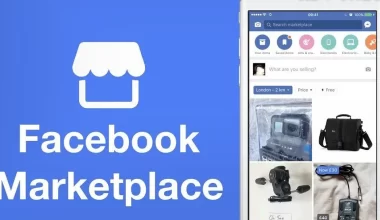
- Open Marketplace. Tap the Marketplace icon (a storefront) in the Facebook app, or find it in the Menu ☰. On desktop it sits in the left menu of your Feed.
- Start a listing. Tap Create new listing, then Item for sale.
- Add photos. Add up to 10 clear photos of the actual item. Use your own shots, not stock images, and show any wear so buyers know what they are getting.
- Write a title. Say plainly what it is. Titles are capped at 100 characters, so put the key words first, such as “iPhone 13 128GB Blue, unlocked”.
- Set a price. The price shows in your local currency. Check similar listings first so yours is competitive. Enter 0 to mark an item free.
- Add a description. Include condition, age, and any faults. Answering likely questions up front means fewer time-wasting messages later.
- Pick a category and location. Choose the category that fits, then confirm your location so nearby buyers see the listing.
- Publish. Tap Next, then Publish. If Next is greyed out, a required field is still empty. Your listing appears in Marketplace, search, and any buy-and-sell groups you post it to.
After publishing you land on your listing manager, where you can reply to buyers, mark the item sold, or edit the price.
What Facebook Marketplace fees you pay
Listing an item is free, and so is a local pickup sale where the buyer pays you in person. The only fee applies to shipped orders sold through Facebook checkout in the US: 10% of the total the buyer pays, with an $0.80 minimum. That total includes the item price, shipping, and tax. On a $50 item with $8 shipping, the fee base is $58 and the fee is $5.80. There are no listing fees and no monthly charge.
What you cannot sell
Facebook’s Commerce Policies bar a long list of items. The most common ones people trip over:
- Animals and live pets
- Weapons, ammunition, and explosives
- Alcohol, tobacco, and drugs (prescription, recreational, or illegal)
- Digital products, downloads, and subscriptions
- Healthcare items, supplements, and body parts or fluids
- Recalled, counterfeit, or stolen goods
- Adult products and services
- Real, virtual, or fake currency and financial instruments
Event tickets and gift cards need Facebook’s written consent before you can list them. Repeated violations can suspend your Marketplace access, so check the policy if you are unsure.
Sell safely and avoid scams
Meet buyers in a public, well-lit place for local pickup, and bring someone with you for high-value items. Take cash or an in-person payment you can confirm before handing over the goods. Ignore anyone who wants to pay by gift card, sends an “overpayment”, or asks you to click a code sent to your phone; those are the standard Marketplace scams.
FAQ
Does it cost money to sell on Facebook Marketplace?
No. Listing is free and local pickup sales are free. Facebook charges 10% (minimum $0.80) only on shipped orders paid through checkout in the US.
Why can’t I sell on Marketplace?
Your account may be too new, restricted for a past policy breach, on an additional profile that does not have Marketplace yet, or in a region where the feature is limited. Selling from your main profile on an established account is the most reliable path.
How many photos can I add to a listing?
Up to 10 per item. More clear angles usually mean faster sales.
Can I edit a listing after posting?
Yes. Open the listing in your Marketplace manager to change the price, photos, description, or mark it sold.
Related: How to use Facebook Marketplace to list and sell items and finding Facebook Marketplace items near you.